

Built for race directors across the U.S. · Curated agency rules start in Colorado
Your course. Your next step.
A clearer permit plan.
Turn a GPX route into likely agencies, planning deadlines, and a practical document checklist. Keep the work organized, from first contact to agency approval.
Free route analysis. No credit card required. No GPX handy? Start with the sample.
Colorado Marathon 2027
26.2 mi ·May 2, 2027
Poudre Canyon to Fort Collins · 4 tracked authorities
Tracks items marked ready or submitted; agency approval is separate.
Preparation items ready
Tracked permits
Your next step
Prepare Roosevelt National Forest special use authorization
Confirm the current authorization for event operations on National Forest System land near the canyon start. 5 other preparation tasks remain.
From course to coordinated plan
Less searching. A clearer next step.
Agency requirements, different deadlines, and scattered documents make permitting hard. Bring them together around the race you’re planning.
1Upload your GPX
2Review likely agencies
3Set your race date
4Track tasks and follow up
01 / THE WORKSPACE
Know what to do next
See every requirement in a familiar task list, grouped by the path from course review to race week. Open one task for focused instructions, its deadline, and the agency involved.
The Colorado Marathon example coordinates state, county, city, and federal work without showing everything at once.
Try it in the sample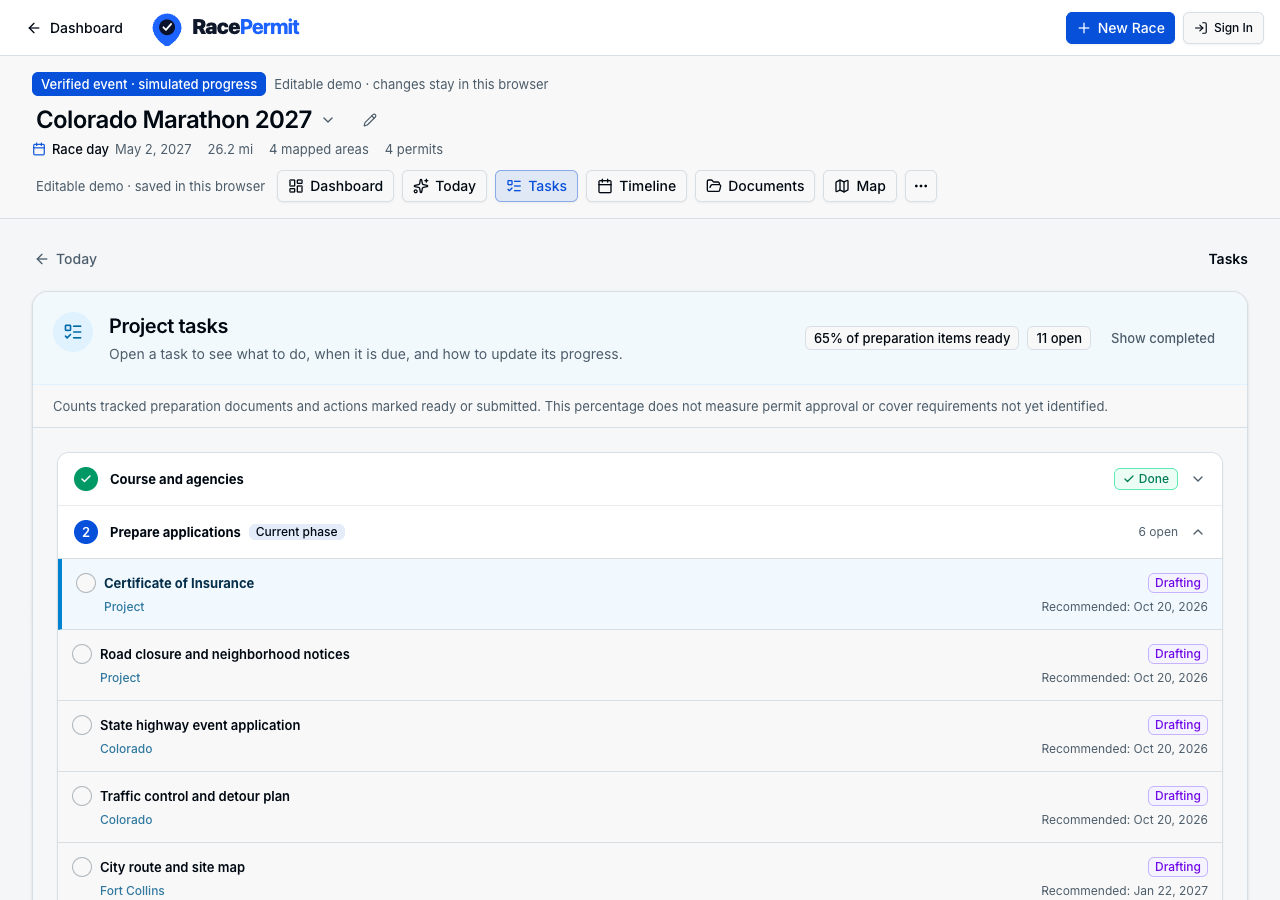 Actual sample workspace · Click to explore
02 / THE WORKSPACE
Know what is due next
Work backward from race day. See initial filing and document milestones, then jump directly to the contact or document that needs attention.
Select any important date to open the task behind it, while later milestones stay visible for planning.
Try it in the sample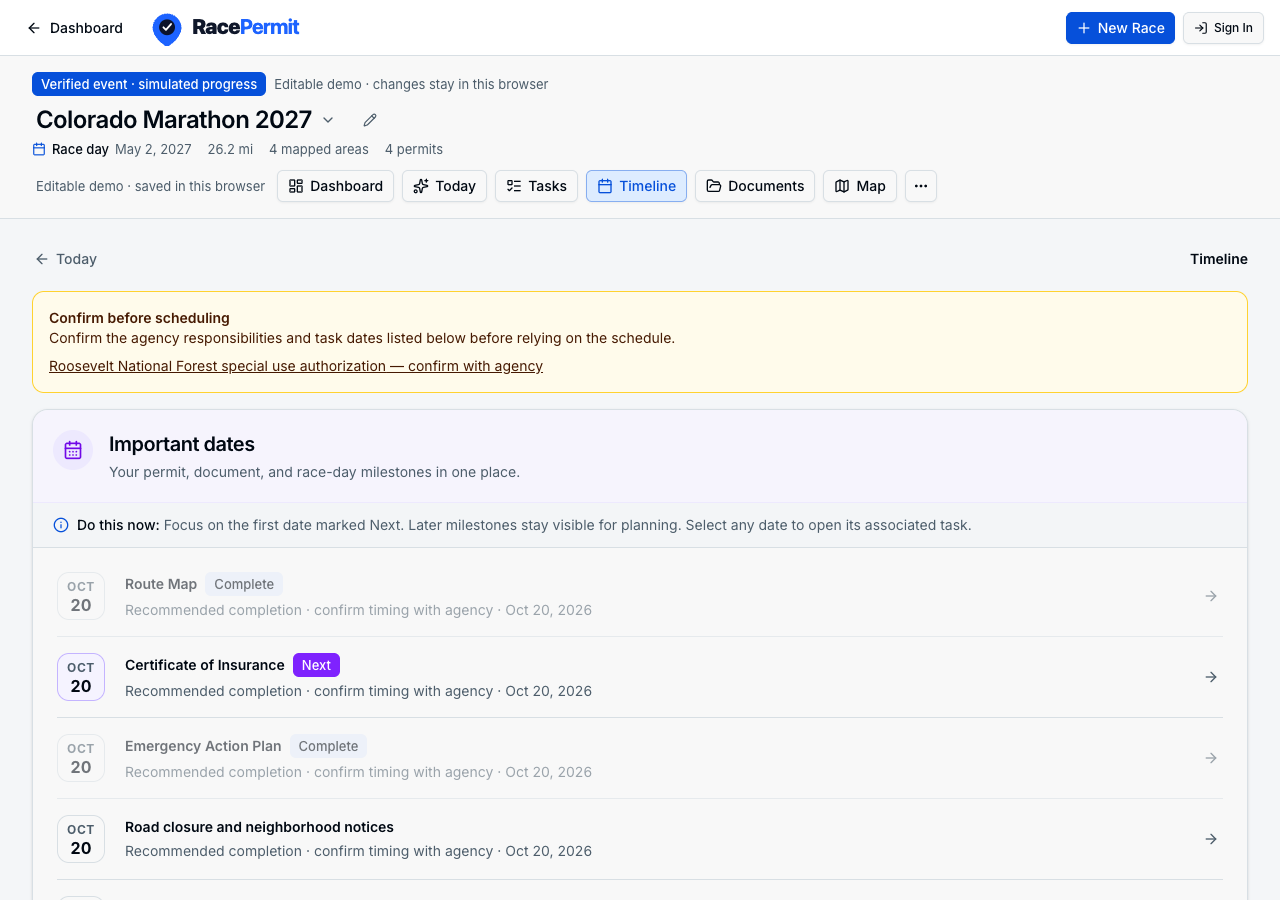 Actual sample workspace · Click to explore
03 / THE WORKSPACE
Know what is missing
Track each required document with a status, filename, and notes. Keep preparation separate from permit approval, and share a planning brief with your team.
Document contents stay on your device. The brief includes open tasks and source notes.
Try it in the sample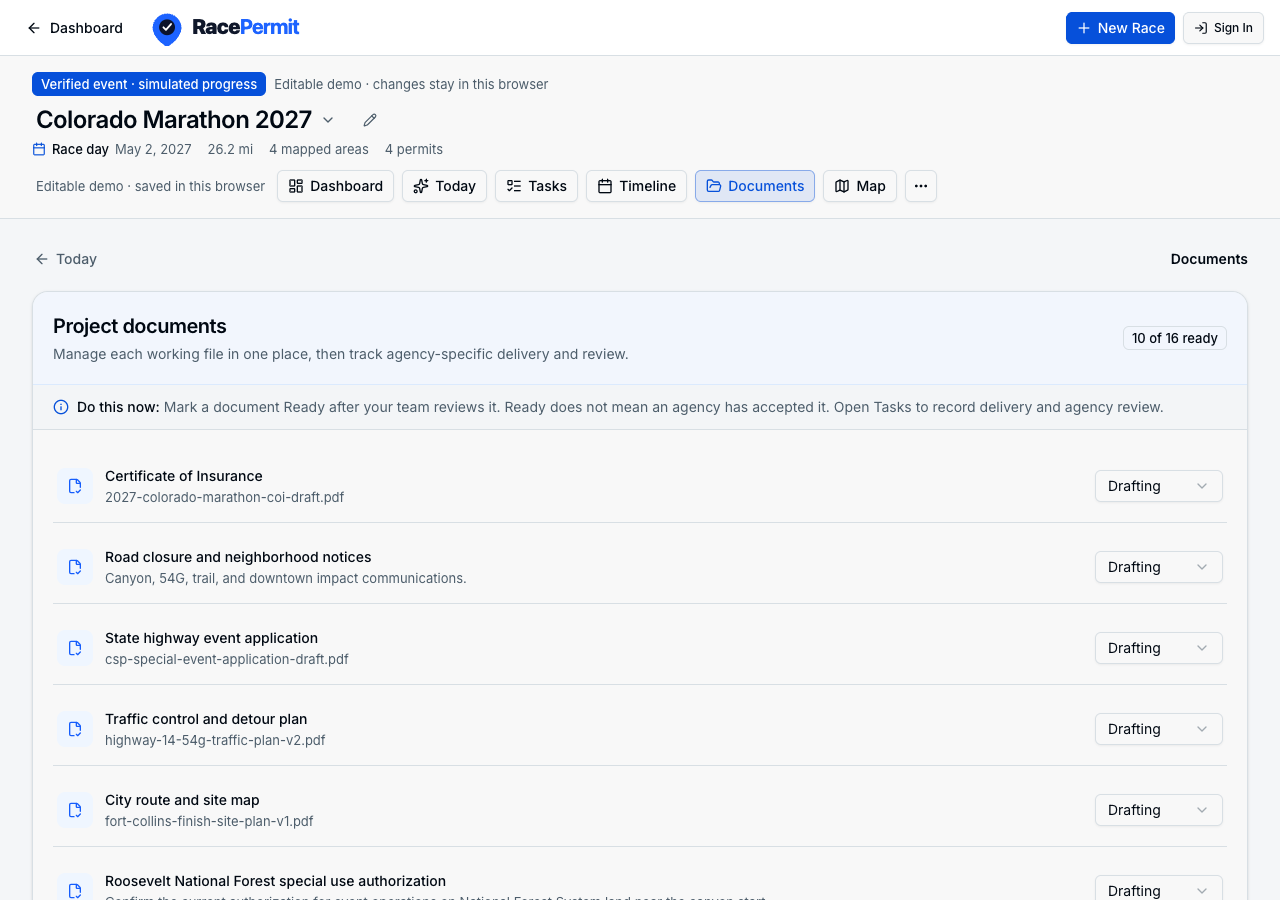 Actual sample workspace · Click to explore
Guidance you can check.
Official links, source notes, and verification dates help you evaluate the plan. Route detection suggests likely authorities; confirm responsibility, filing dates, and event-specific conditions with each agency.
Read source-backed guidanceStart with your route. Grow into the workspace.
Free route analysis
$0
An initial view of the authorities your course may involve.
- GPX upload and course map
- Likely city, county, and state authorities
- Basic planning lead-time estimates
- One route at a time
Supported Pilot Workspace
Free Access
Full workspace access + 1-on-1 permit onboarding for your Colorado event.
- Personalized course & agency review
- Permit and document milestones with live countdowns
- Verified agency contacts, source links, and local filing rules
- Shareable private links & planning brief export for your team
Directly onboarding 15 Colorado race directors during beta.
Before you get started
Does RacePermit submit applications for me?
No. RacePermit helps you organize your permit plan. You confirm requirements with agencies and submit applications yourself. Document preparation and agency approval are tracked separately.
Where is detailed guidance available?
Our curated permit guidance starts in Colorado. Route analysis can suggest likely city, county, and state authorities elsewhere, but coverage varies. Confirm road ownership, agency responsibility, and local requirements before relying on a plan.
What happens if my course changes?
Upload the updated GPX from the project editor and review the authority changes before confirming the new course. RacePermit preserves matching permit work, contacts, and documents while keeping the previous route available in the project history.
Can I share the plan with my team?
The pilot workspace can save a project and create a private link. Anyone with an editable private link can change that project, so share it carefully. You can also preview and download a Markdown planning brief with deadlines, document statuses, contacts, and source notes.
Are my documents uploaded?
Choosing a document records its filename, status, and notes. File contents stay on your device. Saving a project stores its route and planning information in the cloud.
What happens when I request pilot access?
Your request joins the pilot waitlist so the team can review your event and interest. Submitting a request does not create an account or immediately unlock access. You can explore the sample workspace while you wait.
See the next step for your race.
Bring your course, or explore the Colorado Marathon sample.